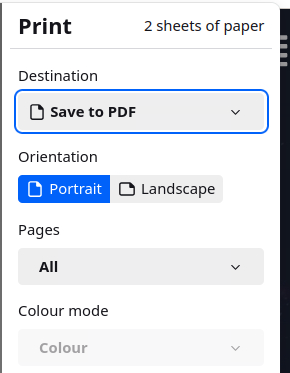
From TightGate-Viewer, it is possible to print documents and websites directly to locally available desktop printers or to a local PDF file.
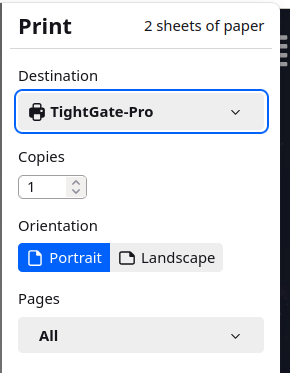
If you initiate a print from an application, the programme-specific print dialogue appears with a print preview and all available configuration settings. In addition to the general settings, it is important to select the print destination (the print function). You can now specify whether the printout should be made to a local workstation printer (TightGate-Pro) or to a PDF document (Save to PDF).
Printing to a local workstation printer (TightGate-Pro)
If the print to local workstation printer function is activated, the TightGate-Viewer transfers all print jobs with the destination TightGate-Pro to the local workstation computer. After a short time, a print dialogue opens on this computer, which offers all local printers and print options for the workstation.
Print PDF (Save as PDF)
If you do not need the print in paper form and just need a PDF document, please select the following print destination Save to PDF. If you confirm your selection, a window will open suggesting a file name and a storage location. Please make sure that you only select transfer as the storage location, as other storage locations are not permitted and will be rejected with an error message.