Scaling for text size and symbols
If the display in TightGate-Viewer is too small for you, TightGate-Viewer allows you to customise the view to your own requirements.
The scaling is adjusted as follows:
- Start your TightGate-Viewer.
- Open the settings menu of TightGate-Viewerby pressing the function key F8 and select the menu item Settings… menu item.
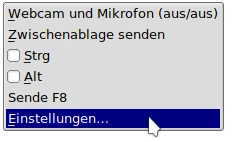
- In the settings menu, select the tab Screen tab in the settings menu.
- You can now select the menu item Screen scaling in per cent: Select your desired resolution. Confirm your selection with the OKbutton in the bottom right-hand corner of the window.
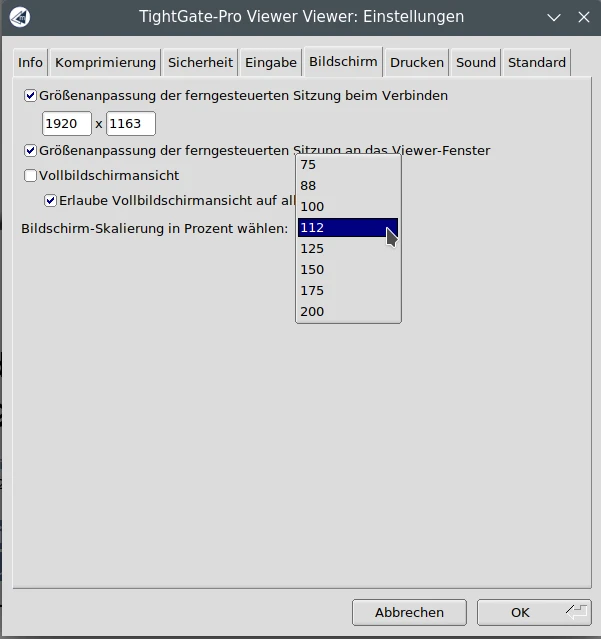
- Then close TightGate-Viewer and start it again.
- The desired scaling is now set and is retained until you change the scaling again using the method described.

